

NEWS CENTER
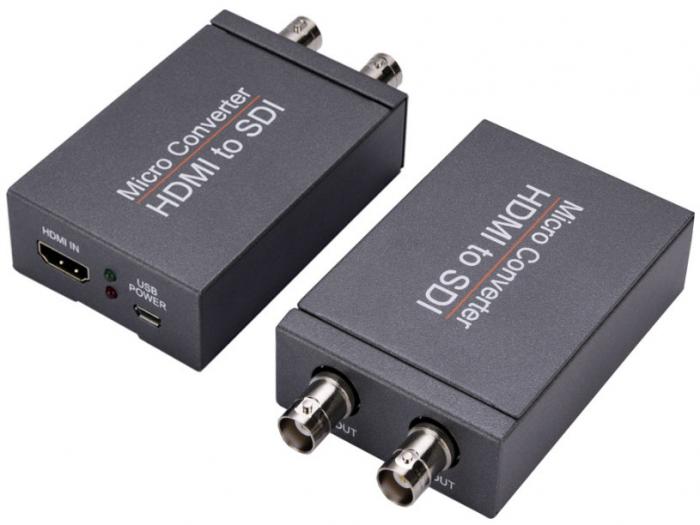
Micro HDMI to SDI Converter
1. Introduction
The Micro HDMI to SDI Converter allows HDMI signals to be displayed on two SDI monitors while ensuring a high bit rate of 2.970 Gbit/s, providing high-resolution signals without any loss. For professionals, this means it is now easier to convert high-definition HDMI signals with audio to SDI for long-distance transmission and display your work on two SDI monitors.
2. Features
Displays HDMI source on two SDI monitors.
SDI interface operates at bit rates of 2.970 Gbit/s and 1.485 Gbit/s.
Supports HDMI input timings: 480i, 576i, 720p, 1080i, 1080p.
Converts HDMI signal to SDI:
720p / 1080i to HD-SDI (SMPTE 292M, bit rate 1.485 Gbit/s)
1080p to 3G-SDI (SMPTE 424M / 425M-AB, bit rate 2.970 Gbit/s)
Supports SDI output distance up to 100m (3G-SDI), 200m (HD-SDI), or 300m (SD-SDI).
3. Package Contents
HDMI to SDI Converter — 1 pc
USB Power Cable — 1 pc
Operation Manual — 1 pc
4. Specifications
Input Port: 1 x HDMI
Output Port: 2 x BNC (HD-SDI / 3G-SDI)
Power Supply: DC 5V
ESD Protection: Human Body Model ±8kV (air-gap discharge), ±4kV (contact discharge)
Dimensions: 97mm x 55mm x 23mm
Weight: 130g
Operating Temperature: 0°C ~ 40°C / 32°F ~ 104°F
Storage Temperature: -20°C ~ 60°C / -4°F ~ 140°F
Relative Humidity: 20% ~ 90% RH (Non-condensing)
Power Consumption (Max): 5W
Interface Description
HDMI IN: This slot is where you connect the HDMI source with an HDMI cable.
RED LED: Power Light.
GREEN LED: Signal Lock Light.
USB POWER: Connect with USB power supply cable.
SDI OUT (2x SDI): This slot is where you connect the SDI display with a coaxial cable.
Email: melody@dibview.com
Wechat ID: toyou19
Website: http://www.dibview.com
Mobile/Whatsapp: +86-139 6489 5219
DIBVIEW offers the professional viewpoint to touch Broadcasting Digital TV Head-end Equipments and IPTV/OTT Solutions.
 Send Email
 leo5877
 Sales01
 8613964895219
 QQ
QQ